Controls are inactive in this reading edition. It shows the artwork, one example state and all of the text. Open the interactive room to change the inputs and explore the results.
Step aboard. Open the hull. Trace twelve AI requests. Cut the cloud link. See what stays with you.
EXPLORER 01CLOUD RELAY CONNECTED
Board the starship →Four stops: board, open the hull, cut the cloud, take command.
Hero view · Deck plan · Engine view
Local routeCloud routeWaiting for a permitted routeBoard the flight to open the hull and explore in 3D.
Request flow / scenario modelHYBRID · 6 LOCAL · 6 CLOUD · 0 HELD
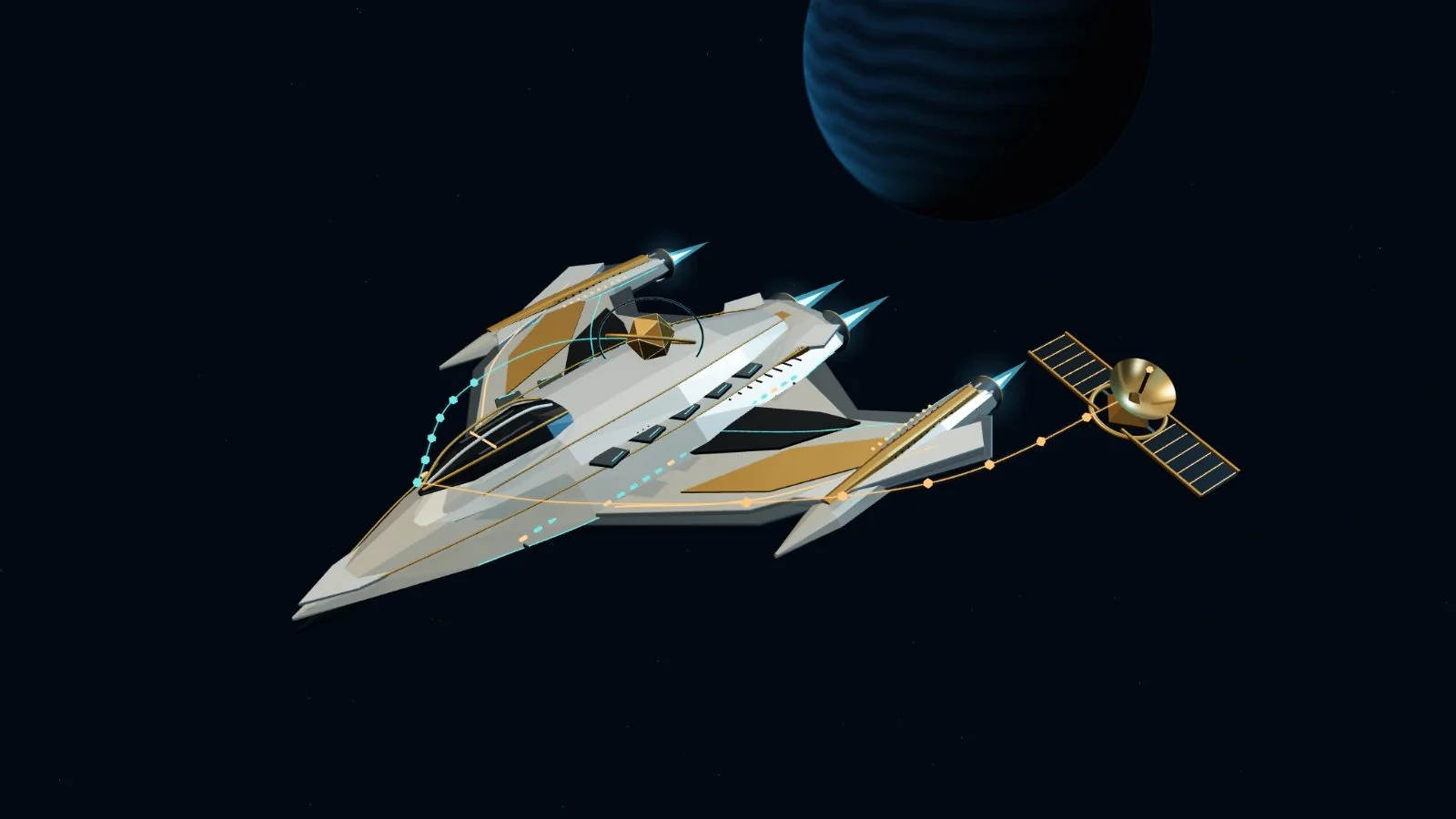
Onboard AIYour shipCommand bridgeBit / human authorityCloud relayConnected
12 requests / illustrated
Onboard AI
Owned compute lives inside the ship. Its AI bay represents hardware you operate. In this model, it can
handle all twelve requests onboard, even without a cloud connection.
Cloud relay
The separate orbital relay represents an external cloud provider. A request must leave the ship to reach
it. Private requests also need explicit permission in Cloud mode.
Command bridge
Bit, the gold core, marks human authority. You choose the architecture and grant permission. A held
request waits here for an approved route; it never leaves silently.
THE FLIGHT PLAN
Choose a starting point. Then test its boundaries.
Routine flight · selected
Choose the architecture
Workload sensitivity
Permission applies to private requests in Cloud mode.
THE SAME 12 REQUEST WORKLOADrequests
Handled locally
6
Sent to cloud
6
Held for review
0
YOUR LAST CHANGE
Change a setting to compare the request counts.
6 requests stay local; 6 public requests use the cloud. Sensitive data stays on your hardware.
Data boundary
Sensitive requests always stay local. Only public requests may use the cloud.
Connection dependency
Cloud routing needs a connection; this model also supports local fallback.
Compare all three architecturessame settings
ArchitectureLocalCloudHeld
Sovereign / local1200
Hybrid660
Cloud066
“Held” means the model has no permitted route. Moving packets show routing, not measured speed or
throughput.
Your decision. Their next move. Share these settings. Let someone else test the boundary.
Sovereign means fully local. A browser simulation: no AI service is contacted.
BUILD STORY / SOVEREIGN STARSHIP
The ship that vanished when motion stopped.
The routing math was right. The first impression was a blank canvas. Here is what the quiet view taught me.
Original artwork. Working controls. One shared routing model.
The failure
Opening a paused scene could leave the ship invisible, even though its controls and routing model worked.
The repair
Draw one frame when the canvas becomes visible, then let it rest. Pausing motion must not hide the work.
The check
A geometry check now covers the quiet first impression. The same routing model still drives the ship,
counters and explanation.